

Prerequisite
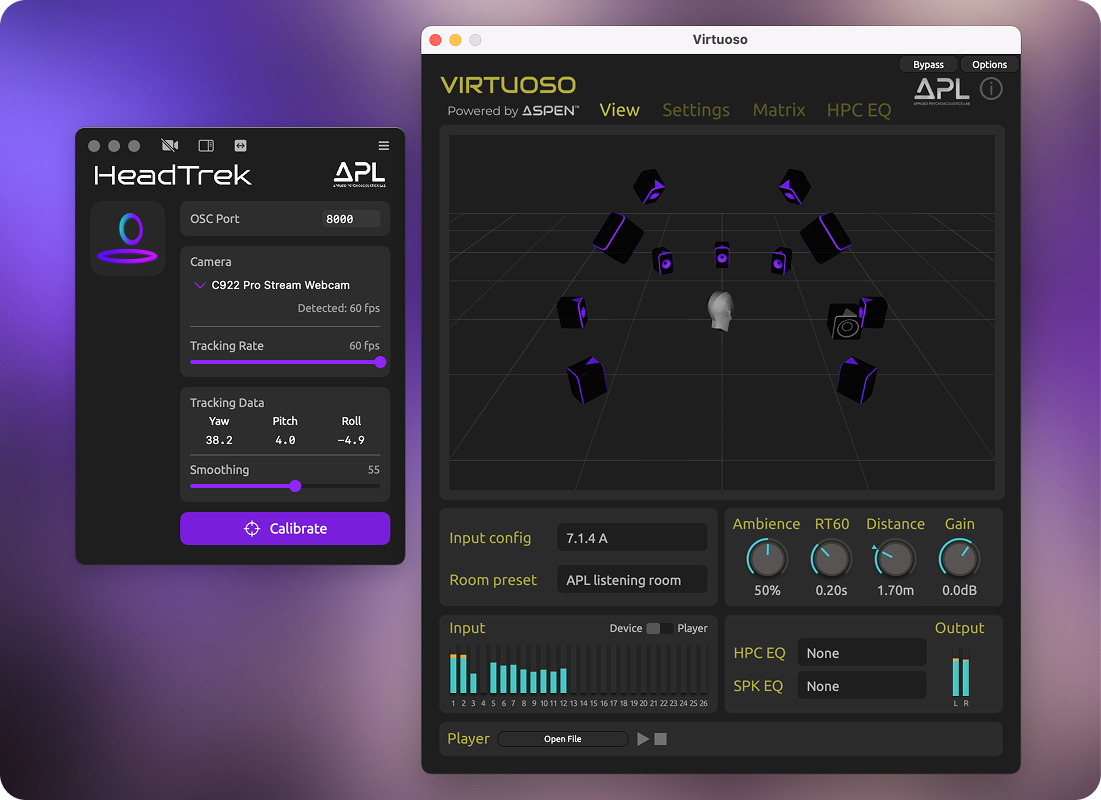
APL HeadTrek is a camera-based head tracker designed to work with APL VIRTUOSO and VIRTUOSO Lite: Navigate to Settings → Head Tracking, set the mode to Auto, and select the APL profile.
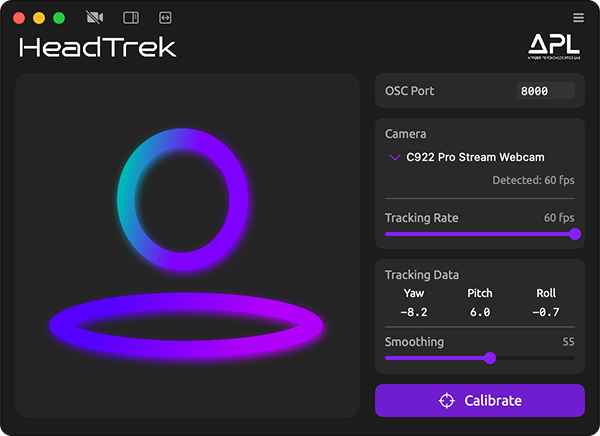
OSC Port
The default Open Sound Control (OSC) port in HeadTrek is set to 8000, and the same value is used in VIRTUOSO. This allows HeadTrek to transmit head-tracking data to VIRTUOSO. You may change the port number (1–65535) if needed, but it must be identical in both applications.
Camera
HeadTrek supports built-in cameras and any external webcam. A phone camera can also be used via a third-party app (e.g. Iriun, Camo).
Tracking Rate
HeadTrek automatically detects the frame rate (FPS) of the selected camera and uses it as the default tracking rate. The tracking latency is determined by the camera’s frame rate (e.g. ~33.3 ms at 30 FPS, ~16.7 ms at 60 FPS). You can reduce the tracking rate using the slider to lower CPU usage; however, this will increase latency.
Tracking Data
Head orientation is displayed in degrees as:
- Yaw (horizontal rotation)
- Pitch (vertical rotation)
- Roll (tilt)
You can lock any of these (Yaw, Pitch, or Roll) by clicking its label.
Note: the effective tracking range is approximately ±60° for yaw and pitch, as the computer vision algorithm relies on facial landmarks.
Smoothing
Reduces jitter and noise in camera-based tracking without introducing noticeable latency. Adaptive smoothing is applied based on movement speed, with less smoothing during faster movements.
Calibrate
You can reset Yaw, Pitch, and Roll using any of the following methods:
- Click the Calibrate button.
- Double-click anywhere in the view.
- Press the spacebar.
Prerequisite
APL VIRTUOSO or VIRTUOSO Lite
Formats
Standalone macOS Application
Operating Systems
Apple macOS Mojave 10.14 through Tahoe 26.4
Mac Requirements
Apple Silicon (ARM64): M1 to M5
Intel Mac (x86-64): 2018 models and later
Memory
4 GB minimum, 8 GB recommended.
Supported cameras
Any webcam supporting 30, 60 or 120 fps
Built-in Mac cameras
Phone cameras (with phone-to-webcam apps, e.g., Camo, Iriun, etc.).
FAQs
Click here to find answers to frequently asked questions.
Contact Us
If you have any questions, please email us at support@apl-hud.com
If you found a bug, please report it here.